Accept digital payments for physical goods
Thingio's plug-and-play electronics and software let you create your own self-serve vending solution for whatever you're selling
Ditch the cash box
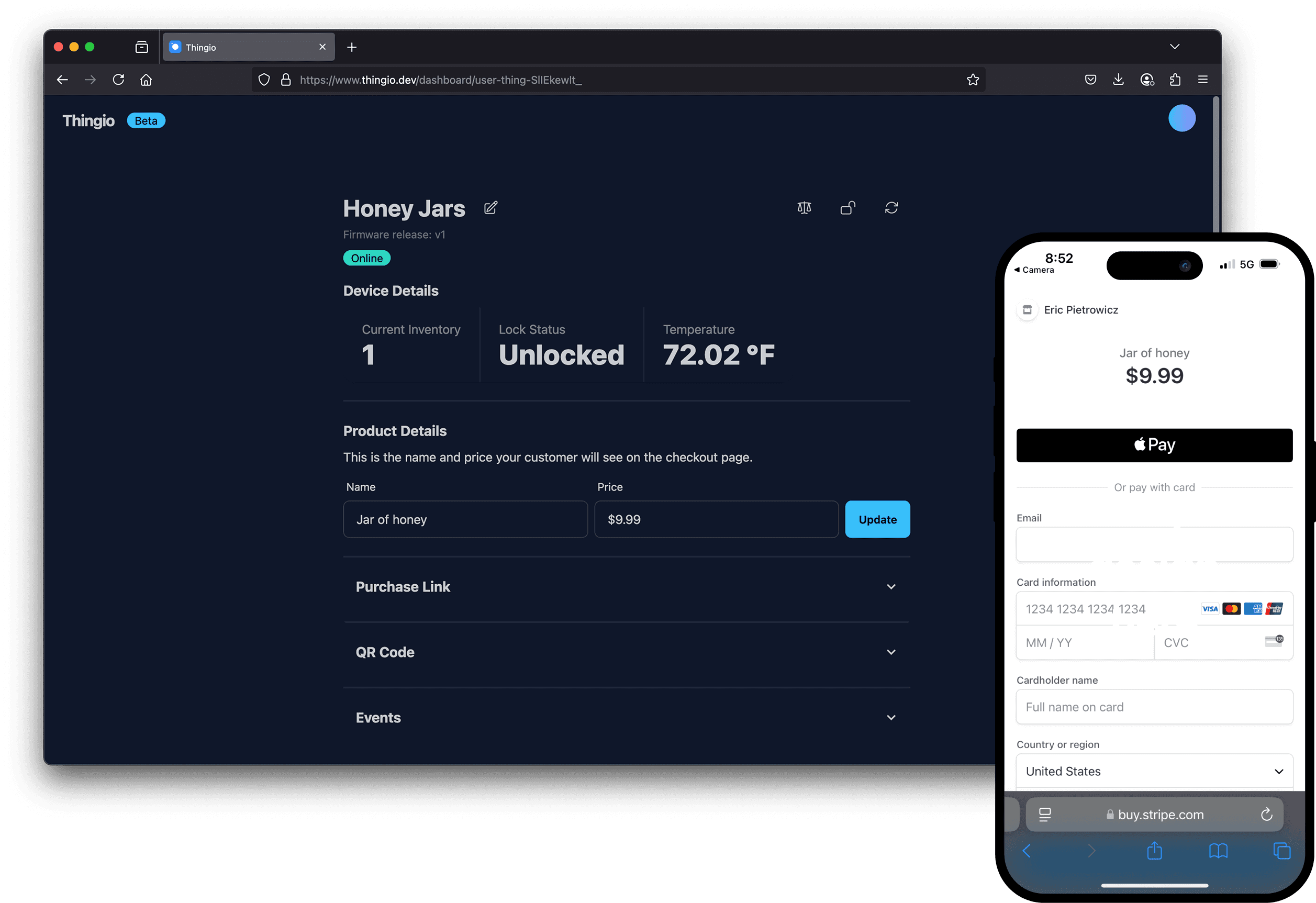
Just bring your own cabinet and we'll provide the electronics and software to accept payments for your goods
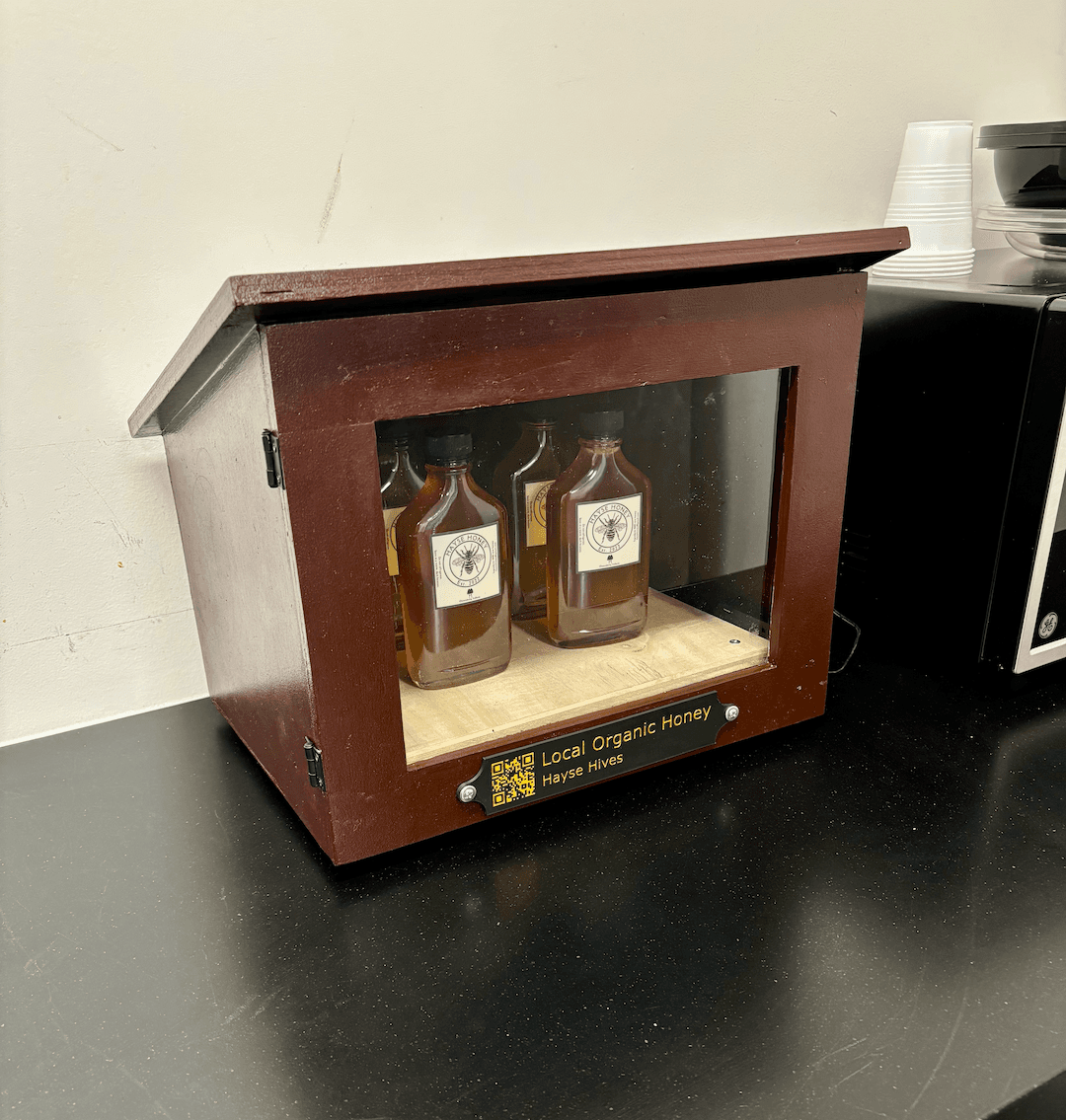
Hayse Hives
Self-serve honey, no staff on site
Hayse Hives built a self-serve honey vending cabinet with the Thingio service. No staff required to take a payment or unlock the case.
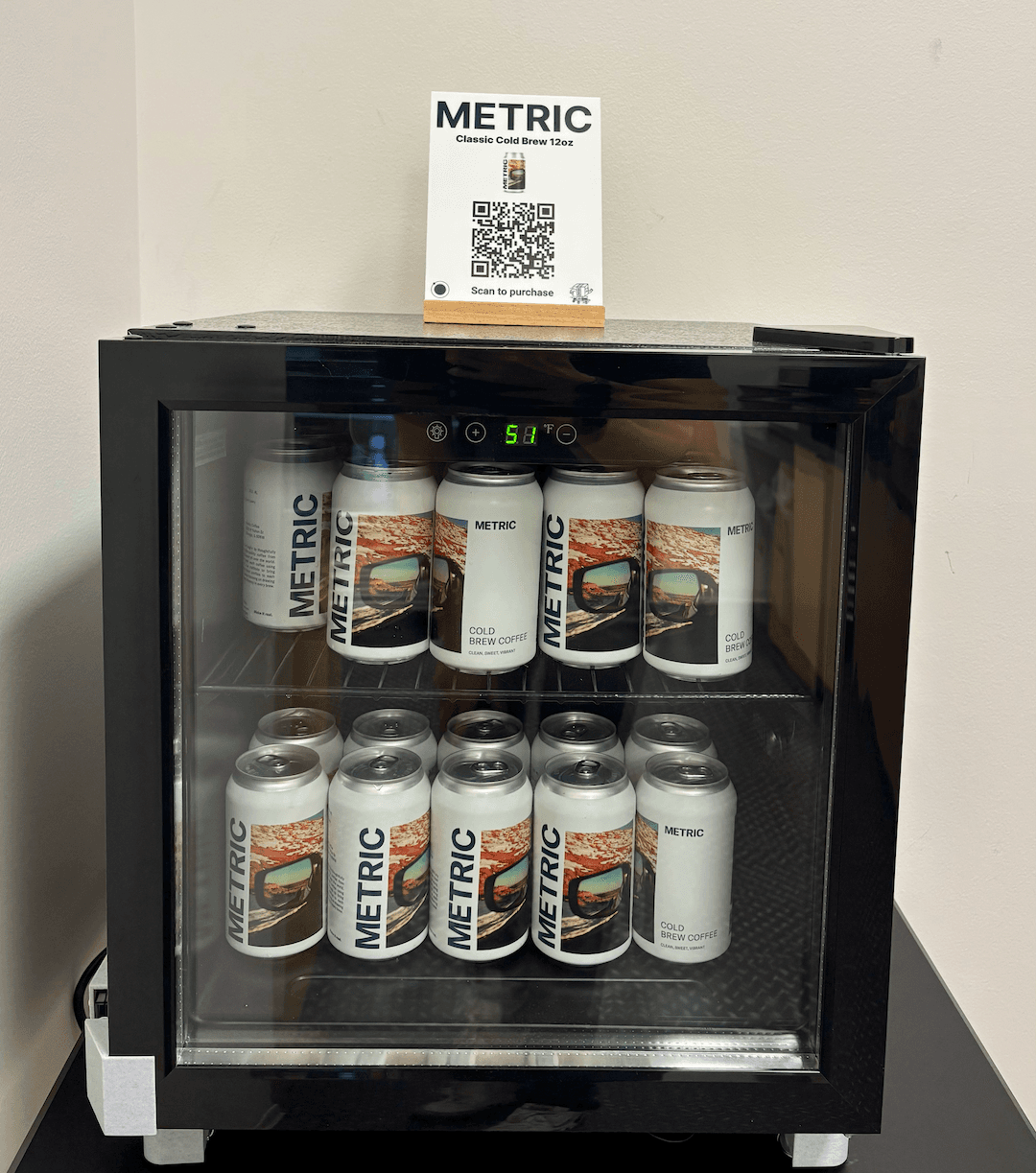
mHUB Cold Brew Stand
Cold brew on demand for a local coworking space
mHUB built a self-serve cold brew stand with the Thingio service. No staff required to take a payment or unlock the refrigerator.
How it works
No hidden costs. No contracts. No clunky point of sale system.
- 1
Bring your own cabinet
Use any cabinet, cooler, or case you already have for your product.
- 2
Add the Thingio module
Our lock and payment controller wires in and connects to WiFi in minutes.
- 3
Customers scan and pay
Shoppers scan a QR code, pay with Apple Pay or card, and the cabinet unlocks automatically.
Order · Ships now
Get the Thingio Starter Kit
Everything you need to turn any cabinet into a self-serve shop. Reserve now and be first in line when kits ship.
$99
Order nowWhat's in the box
- Thingio lock and payment controller
- QR code decal for your cabinet
- Dashboard access with live inventory and sales
Get in touch
Have a question or a project in mind? Send us a message and we'll get back to you.